
InkCMS.
The first CMS designed for an AI to use — and a visitor to talk to.
Four people stop being unhappy.
Every CMS pitch is a pitch about who gets relief. Here are the four people who get measurably less aggravation the day InkCMS goes live.
Two assistants. One filesystem.
InkCMS ships two distinct AI surfaces — one for your team, one for your visitors — both reading the same content tree, both auditable, both multi-provider.
CMS Editing
Assistant.
An admin-side AI panel that reads your site, drafts content, and proposes edits as pending-action cards you approve with a click. Writes route through your existing permission model — denylists and security levels apply.
+ WRITE tools through staging-first
+ Pending-action cards (Apply / Reject)
+ Full audit trail per chat turn
AI
Advisor.
A search bar your visitors will actually use. Function-calling end-to-end, inline citations linking to real pages (made-up URLs are server-side stripped — no hallucinated links survive), relevant-tile suggestions, document text extraction, rate limits, full audit trail.
+ NEVER hallucinates a working URL
+ 3-bucket rate limiting per visitor
+ Per-question cost stamped to 6 decimals
Three providers. One CMS.
Pick what fits your stack. Bring your own API key. Switch when prices change — it's a dropdown, not a migration.
What you'll actually use.
Marketing pages oversell. Screenshots don't. Here's what the admin actually looks like — these are from a real install, not a mockup.
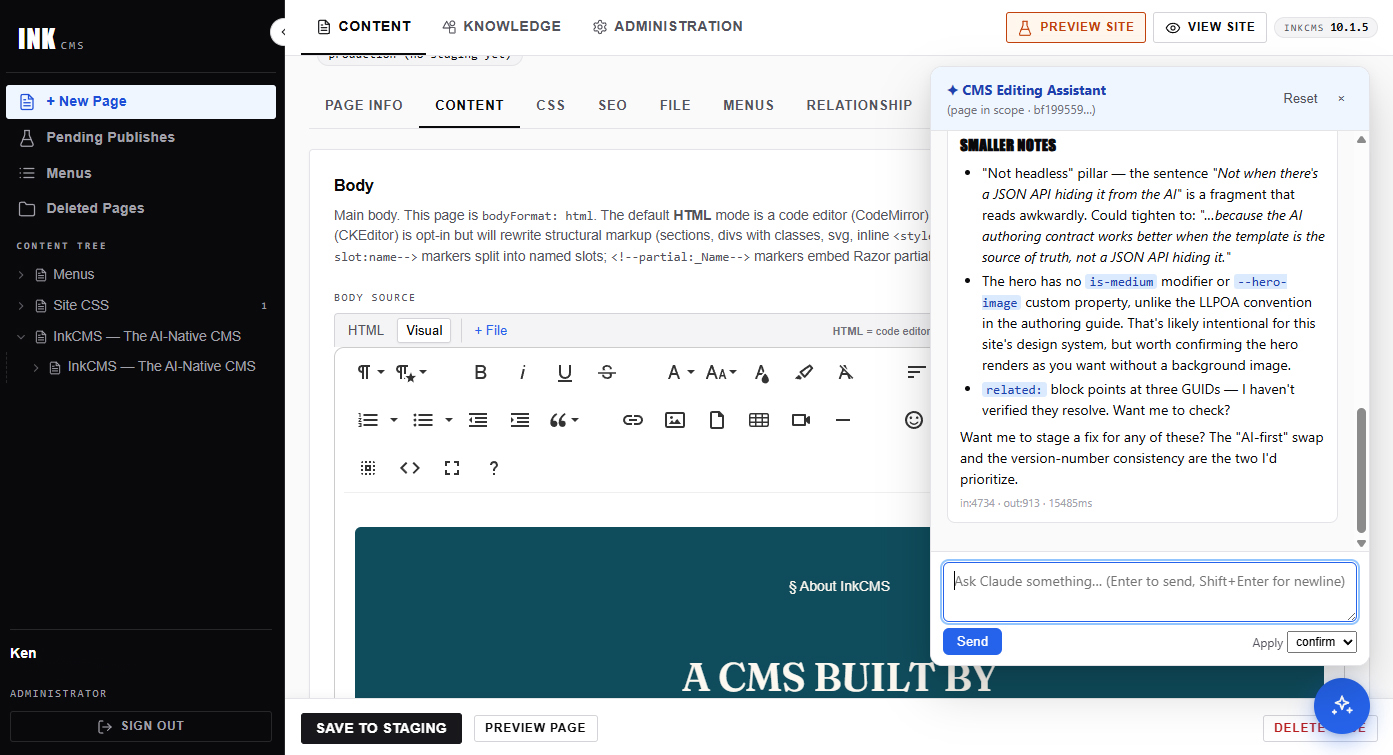
Edit with Claude beside you.
The visual editor on the left, the AI assistant on the right. Ask for a rewrite, a tightening, a section. Claude proposes; you click Apply.
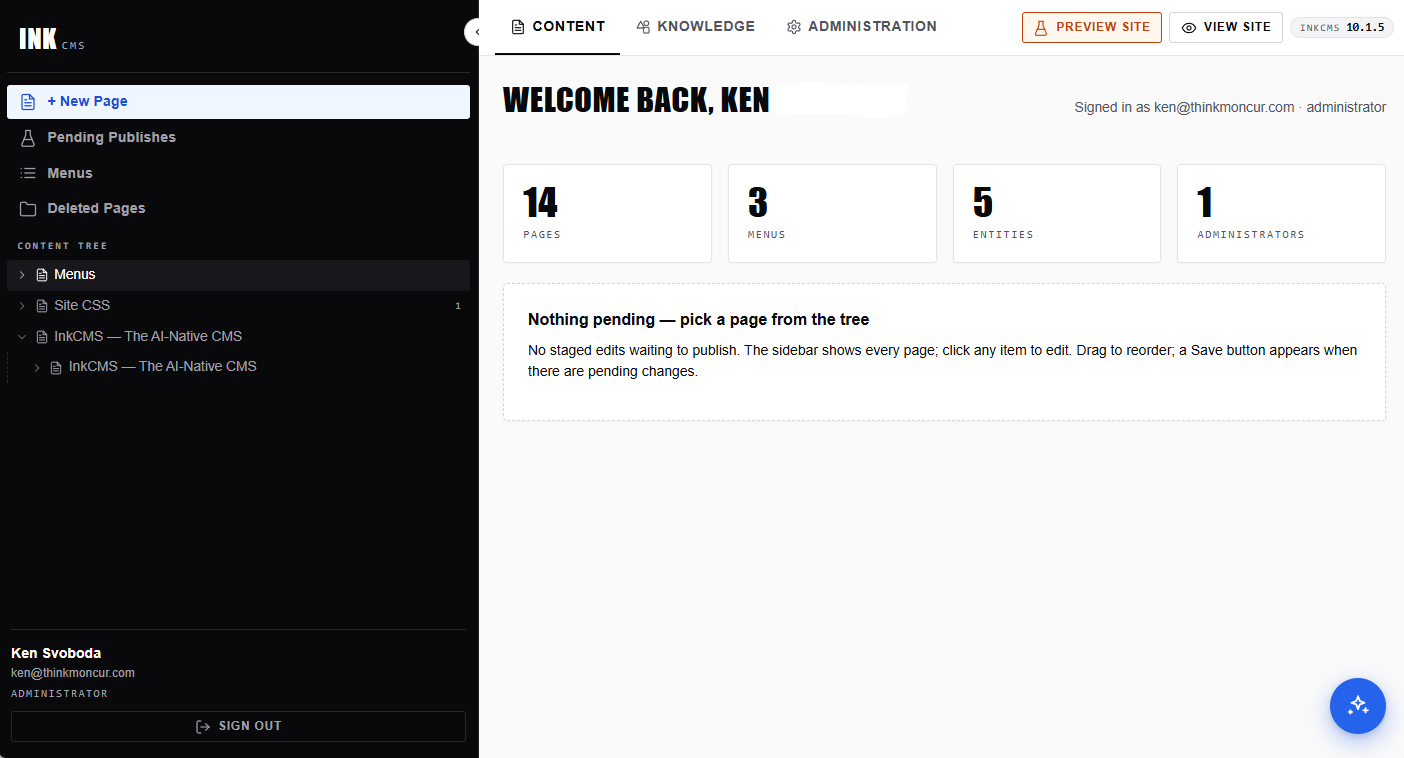
The whole site at a glance.
Pages, menus, media, AI activity, license status — one screen, everything one click away. No 30-tab WordPress admin.
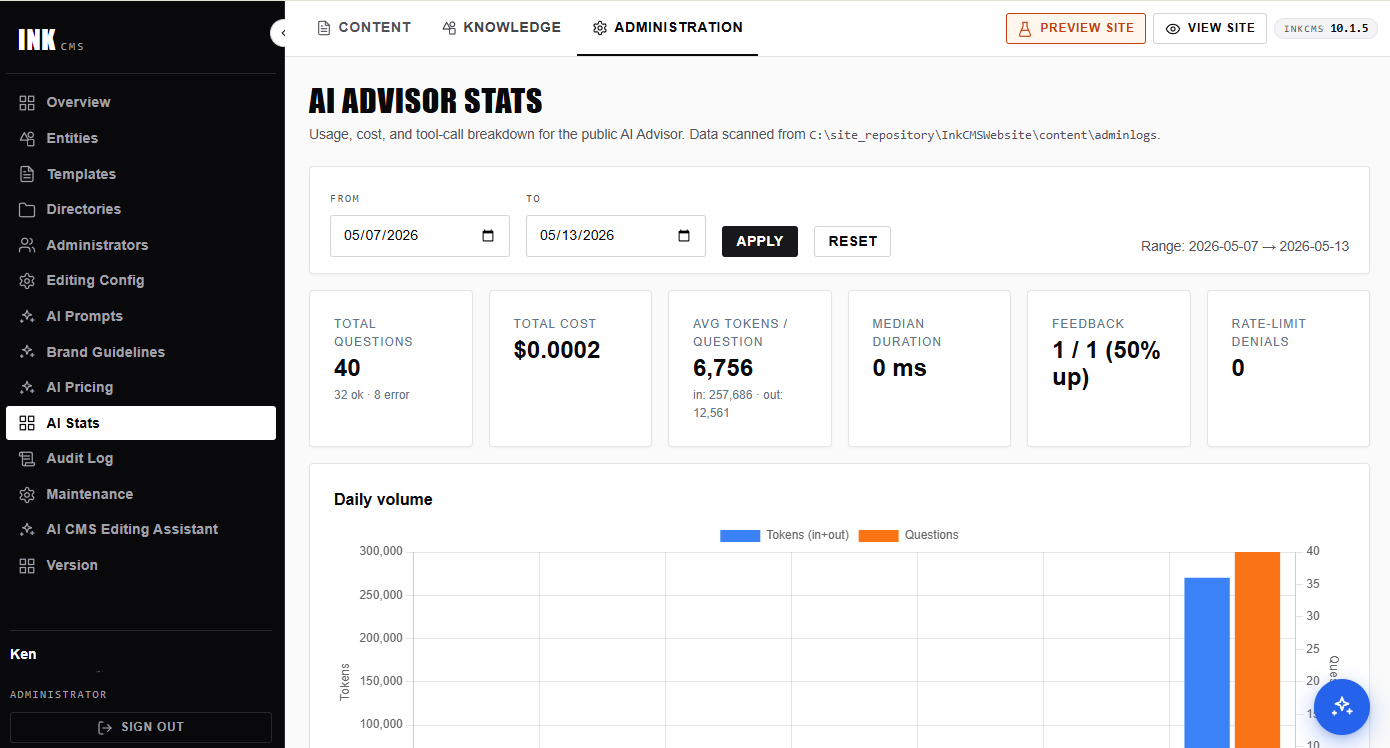
Know what you're spending.
Daily questions, per-query cost to six decimals, tool usage, feedback ratio, rate-limit denials. Surprises are not part of the deal.
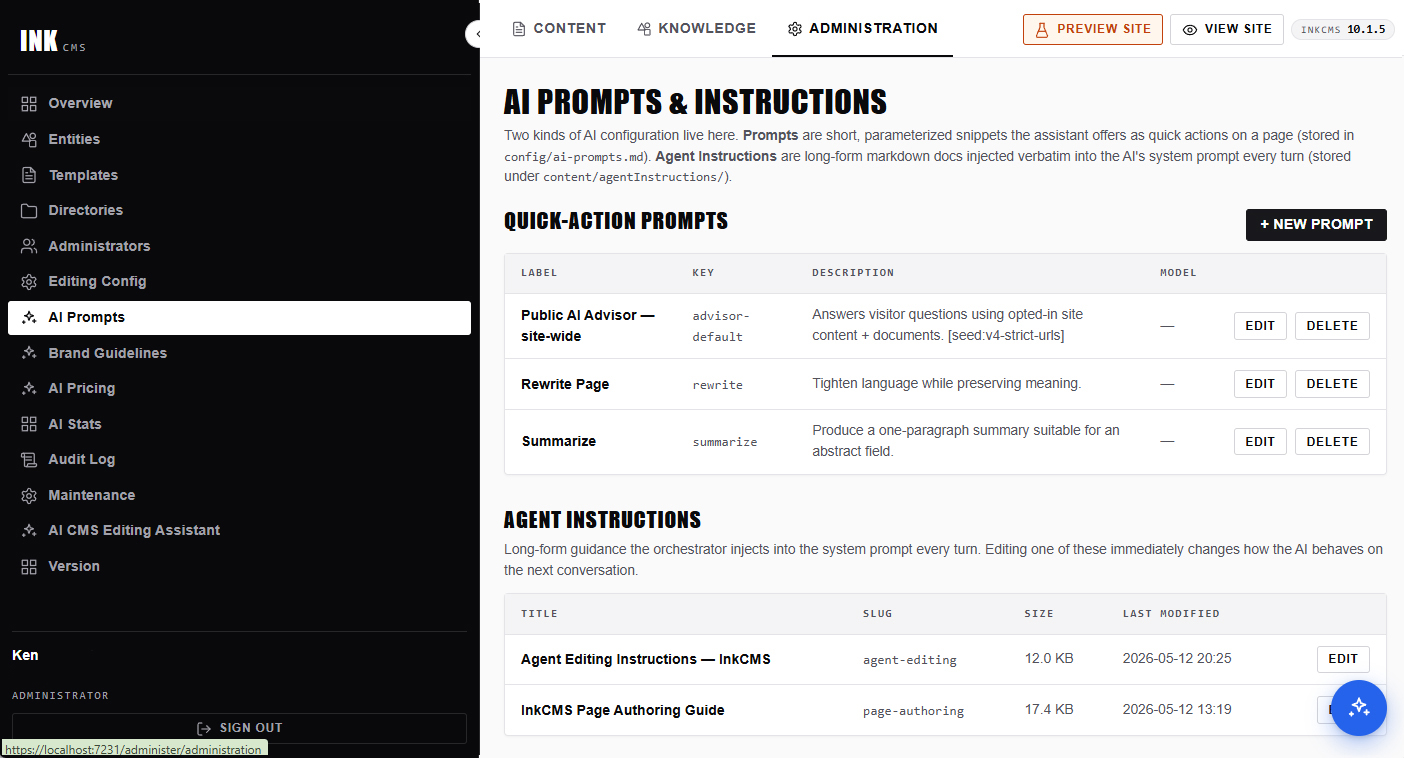
Tune the AI without writing code.
The prompt library is a folder of markdown. Edit them in the admin, or in your editor. Claude picks up your changes on the next turn.
What makes InkCMS different.
Four design choices that no AI-on-top CMS retrofit can copy — because they're not features, they're the shape of the system.
No SQL. Anywhere.
Content, configuration, sessions, users, audit logs — every byte of state lives on the filesystem as markdown, YAML, or JSON. One backup command. tar -czf backup.tar.gz content/ config/. One disaster recovery: restore the tarball. One development workflow: edit files, open a PR, reviewers see the actual content change in the diff.
Built for Claude. And friends.
Markdown + YAML frontmatter everywhere — one format for pages, menus, entity definitions, brand guidelines, AI prompts, agent instructions. The AI never gets rm -rf and a shell — tools are scoped, writes route through approval, and prompt injection has nowhere to escalate to.
Cheap to operate.
The Advisor's default is Gemini 3.1 Flash Mini — fast, function-calling capable, and roughly $0.0002–$0.0008 per answer. A site fielding 1,000 visitor questions a day costs about $0.20–$0.80 — pennies, not dollars. Need flagship reasoning for tougher questions? Route to Gemini 3 Pro (~$0.01–$0.03), GPT-5 (~$0.02–$0.08), or Claude Opus 4.7 (~$0.05–$0.15) per answer. Cache-aware billing on Anthropic. Multi-provider abstraction means you switch when prices change.
Minutes, not weeks.
A clean install is a signed installer, a binary, a wwwroot/, and a content/ folder. No database to provision. No migration to run. No connection string to forget. No external services required. First page renders in under a minute from a fresh install.
We never see your visitors.
We never see your AI conversations.
Build first. Pay when you go live.
No demos. No sales calls. No 30-day countdown. Create a free account, download the installer, run it on your laptop, and build the site you actually want — for as long as that takes. A subscription only matters the day you point a real domain at it.
localhost, *.local, and *.test hostnames are short-circuited in the license guard. No phoning home. No license check. No timer. Build a 10-page brochure or a 5,000-page knowledge base. Run it on your laptop for a week, a month, six months — until you're ready.Not a trial dressed up as generosity. A different model — we'd rather you spend the time building than negotiating.
Priced by pages. Nothing else.
No per-seat fees. No AI-tokens markup. No tiered features held hostage. Bring your own LLM key, pay only for what you use upstream.